Because Behind Every Business, There’s a Person
Thursday, October 22
How to Transfer Old Video Formats to Digital: A Step-by-Step Guide
Articles on My Small Towns may be written for a business with a paid listing. When they are, that business is named as the author. How this site works.
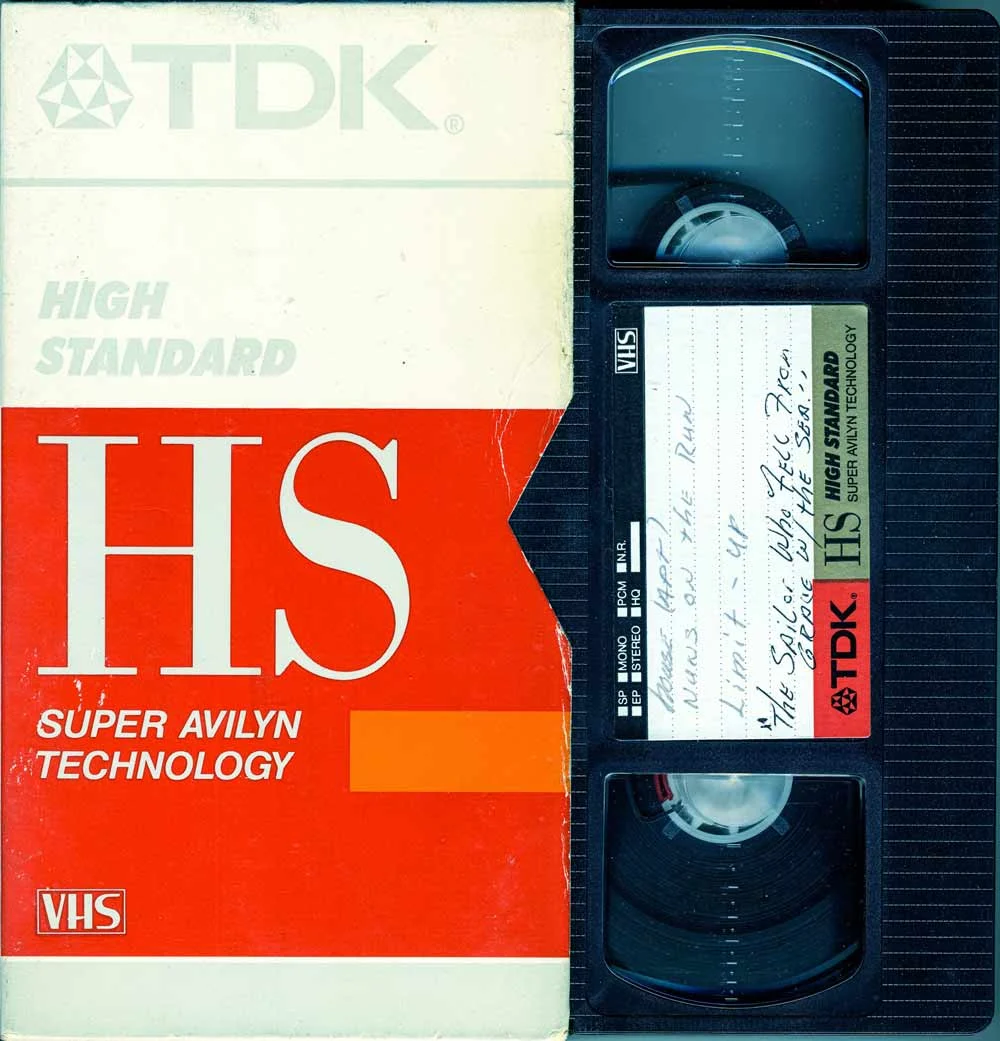
Those boxes of old VHS tapes, 8mm films, and camcorder recordings sitting in your closet contain irreplaceable family memories. Unfortunately, these analog formats deteriorate over time, and the equipment to play them becomes increasingly difficult to find. Converting your old video formats to digital not only preserves these precious moments but also makes them easily shareable and accessible across all your modern devices.
Digital video conversion has become increasingly important as analog playback devices disappear from the market. Whether you’re dealing with wedding videos from the 1980s or your child’s first steps recorded on a camcorder, transferring these memories to digital formats ensures they’ll be preserved for future generations.
Preparation Checklist
Before beginning any video format transfer project, proper preparation is essential for achieving the best results. Start by gathering all your analog media and organizing it by format type – VHS, VHS-C, 8mm, Hi8, Digital8, MiniDV, or film reels. Make note of any tapes that appear damaged, moldy, or have broken cases, as these may require special handling.
Next, assess what equipment you’ll need. For VHS transfers, you’ll need a functioning VCR and either a video capture device or a DVD recorder with analog inputs. Camcorder formats like 8mm and Hi8 require their original cameras or compatible playback decks. According to Digitize Old Home Movies Guide, having the right cables is crucial – typically RCA composite cables (red, white, and yellow) or S-Video cables for better quality.
Create a clean, dust-free workspace and ensure you have adequate storage space on your computer. High-quality digital transfers can require 1-4 GB per hour of footage, so plan accordingly. Finally, set realistic expectations about time investment – real-time capture means a two-hour tape takes two hours to transfer, plus additional time for editing and file management.
How to Do It Safely
Safety should be your top priority when handling old media, both for the tapes and your equipment. Before playing any tape, inspect it carefully for signs of mold, which appears as white, fuzzy growth on the tape surface. Moldy tapes should not be played in your equipment as they can contaminate the playback heads and damage other tapes.
Clean your playback equipment’s heads with isopropyl alcohol and cotton swabs before starting. This prevents transferring dirt or debris to your precious recordings. When inserting tapes, do so gently – never force a tape that doesn’t slide in easily, as this could damage both the tape and the machine.
For the actual transfer process, connect your playback device to your computer using a video capture device. USB capture devices are widely available and user-friendly, though internal capture cards offer better quality. Set your capture software to record in the highest quality possible – you can always compress the files later, but you can’t add quality that wasn’t captured initially.
Monitor the transfer process closely. If you notice tracking issues, static, or other playback problems, stop immediately and assess whether the tape or equipment needs attention. Convert Film and VHS to Digital research emphasizes that patience during this process pays off with better results.
When DIY Stops Making Sense
While DIY video transfer can be rewarding, certain situations make professional services the smarter choice. If you have a large collection – say, more than 20 tapes – the time investment alone may justify professional help. Consider that each hour of footage requires at least an hour of real-time capture, plus additional time for file management, quality checks, and basic editing.
Technical challenges also signal it’s time to call in professionals. If your tapes show signs of damage like creases, broken tape, or mold growth, attempting DIY transfer could destroy the content permanently. Similarly, unusual formats like Betamax, U-matic, or international PAL/SECAM formats often require specialized equipment that’s not cost-effective to purchase for personal use.
Quality expectations matter too. Professional services use broadcast-quality equipment and time-base correctors that can salvage footage from damaged tapes and produce cleaner results than consumer-grade capture devices. If these are once-in-a-lifetime recordings – wedding videos, deceased relatives, or historical family events – the peace of mind from professional handling may be worth the investment.
When to Call a Professional
Professional video transfer services offer expertise, specialized equipment, and often better results than DIY approaches. In the Jacksonville and Northeast Florida area, companies like AWV Production LLC provide comprehensive video transfer services with the professional-grade equipment needed to handle various formats and challenging tapes.
Choose professional services when dealing with irreplaceable content, damaged media, or when you need specific output formats like professional editing codecs. Professionals can also handle batch processing more efficiently, often completing large collections faster than DIY methods while maintaining consistent quality standards.
When selecting a service, look for providers who offer format variety, quality guarantees, and local presence for better communication and faster turnaround. Professional services typically provide digital files in multiple formats, making your content compatible with various devices and future-proof for years to come.
The investment in professional transfer becomes particularly valuable when you factor in the cost of equipment purchase, learning curve, and time investment. For many Northeast Florida residents, local professional services offer the perfect balance of quality, convenience, and peace of mind.
FAQ
What are the most common old video formats?
The most common formats include VHS, VHS-C, 8mm, Hi8, Digital8, MiniDV, and Betamax. Each format requires specific playback equipment, and some like Betamax are particularly challenging to find compatible players for today.
Why should I convert my old videos to digital?
Digital conversion preserves your memories as analog tapes degrade over time. Digital files are easily backed up, shared with family members, and played on modern devices without specialized equipment. They also take up significantly less physical storage space.
How much does it typically cost to transfer videos to digital?
DIY costs include equipment ($100-300) and time investment. Professional services in Northeast Florida typically range from $15-30 per tape depending on format and length, with bulk discounts often available for large collections.
Can I do the video conversion myself, or should I hire a professional?
DIY is feasible for small collections of undamaged tapes if you have technical aptitude and time. Professional services are recommended for damaged media, large collections, unusual formats, or when you need guaranteed quality results.
What should I look for in a video transfer service?
Look for services that handle your specific formats, offer quality guarantees, provide multiple output options, and have local presence for better communication. Ask about their equipment quality and whether they can handle damaged or challenging tapes.
This article is for informational purposes only and does not constitute professional advice. Always handle old media carefully and consider consulting with video transfer professionals for valuable or damaged content.
Before you spend thousands on a service provider…
get a second opinion.
Upload two quotes and get a side-by-side comparison, pricing breakdown, and expert recommendation.
Avoid overpaying and choose the right company with confidence.
Discover:
- What’s overpriced
- What’s missing
- What actually matters
We break it all down for you instantly.
Upload your quotes. Get answers instantly.
More Articles
Planning a website redesign? This comprehensive checklist covers everything Jacksonville businesses need to know for a successful website overhaul that improves user experience and

Quick Summary A Florida home inspection is a crucial step before closing on a home, especially in a climate where moisture, wind, and roofing matter. Inspectors check structural components, roof, ...
Discover essential maintenance steps and safety tips to keep your HVAC system running smoothly during Jacksonville's demanding summer and winter months.
Compare proven goal setting techniques in Palm Coast including SMART goals, visualization, and OKRs. Find the right approach for your personal success journey.

Navigate divorce stress confidently with proven strategies, legal insights, and local Jacksonville resources to ensure fair outcomes during challenging times.
Understanding the dental implant recovery timeline in Jacksonville helps you prepare for successful healing. Learn about each stage, care tips, and what to expect.